LINE Tools1.3.0
Publisher Description
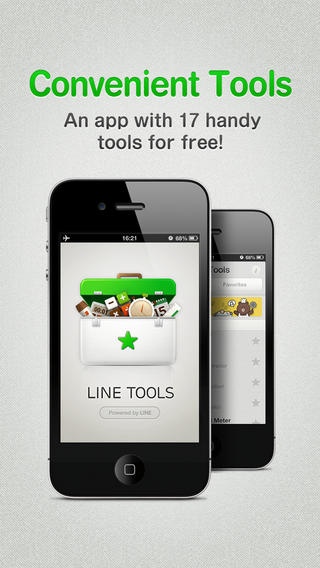
* Ruler and pasta measure is not supported for iPhone6/6 Plus.
There is no plan to update LINE Tools at the moment.
Over 6 million downloads in 223 countries!
No.1 in the Utilities category!
No.2 in the Top Free section!
An all-in-one app featuring all the essential tools you need!
Of course it features all the lovely LINE characters too!
Small font size giving you a head-ache? Want to use the mirror function in the dark? Need a flashlight, quick? Well LINE Tools is the app for you! It solves all these problems and so much more!
***** Main Features *****
First set of tools include measuring tools, clocks, calculators and other convenient stuff! In fact there will be over 17 tools in 4 separate genres!
Many more tools are being developed as we write this, so keep your eyes open!
The Lineup So Far
* Measurement Tools
Ruler, Protractor, Horizontal Gauge, Audio Level Monitor, Compass
* Time
Stopwatch, Timer, Japanese Calendar
* Convenient Stuff
Flashlight, Mirror, Magnifying Glass, Pasta Measure, QR Code Reader
* Calculator
Calculator, Japanese Year Converter, Unit Converter, Size Table
Requires iOS 6.0 or later. Compatible with iPhone, iPad, and iPod touch.
About LINE Tools
The company that develops LINE Tools is LINE Corporation. The latest version released by its developer is 1.3.0.
To install LINE Tools on your iOS device, just click the green Continue To App button above to start the installation process. The app is listed on our website since 2012-12-05 and was downloaded 8 times. We have already checked if the download link is safe, however for your own protection we recommend that you scan the downloaded app with your antivirus. Your antivirus may detect the LINE Tools as malware if the download link is broken.
How to install LINE Tools on your iOS device:
- Click on the Continue To App button on our website. This will redirect you to the App Store.
- Once the LINE Tools is shown in the iTunes listing of your iOS device, you can start its download and installation. Tap on the GET button to the right of the app to start downloading it.
- If you are not logged-in the iOS appstore app, you'll be prompted for your your Apple ID and/or password.
- After LINE Tools is downloaded, you'll see an INSTALL button to the right. Tap on it to start the actual installation of the iOS app.
- Once installation is finished you can tap on the OPEN button to start it. Its icon will also be added to your device home screen.
